
Offline Piper Neural Speech Engine
Ancora Planner features a completely offline, privacy-first neural speech engine powered by Piper ONNX. Your spoken reminders and activity announcements are synthesized locally on your device with zero cloud latency, zero data tracking, and no internet connection required.
On-Device Neural Voice Architecture
Most modern apps stream voice reminders by transmitting text to external cloud servers. Ancora takes the opposite approach: embedding high-efficiency neural voice models that run directly on your phone's processor using the lightweight ONNX runtime.
This architecture delivers three decisive advantages:
- Complete Privacy: Your personal schedule, sensitive medication names, confidential work meetings, and family member details are never uploaded to remote servers for speech synthesis.
- Instant Delivery Without Lag: Offline voice generation begins instantaneously at the exact millisecond an alarm triggers, even in flight mode, underground parking, or rural dead zones.
- Zero Subscription Tolls: High-quality neural voice output without cloud API usage fees or recurring voice tier charges.
Selecting Your Speech Engine
Ancora allows you to choose between two underlying speech synthesis engines based on your hardware capabilities and personal preference:
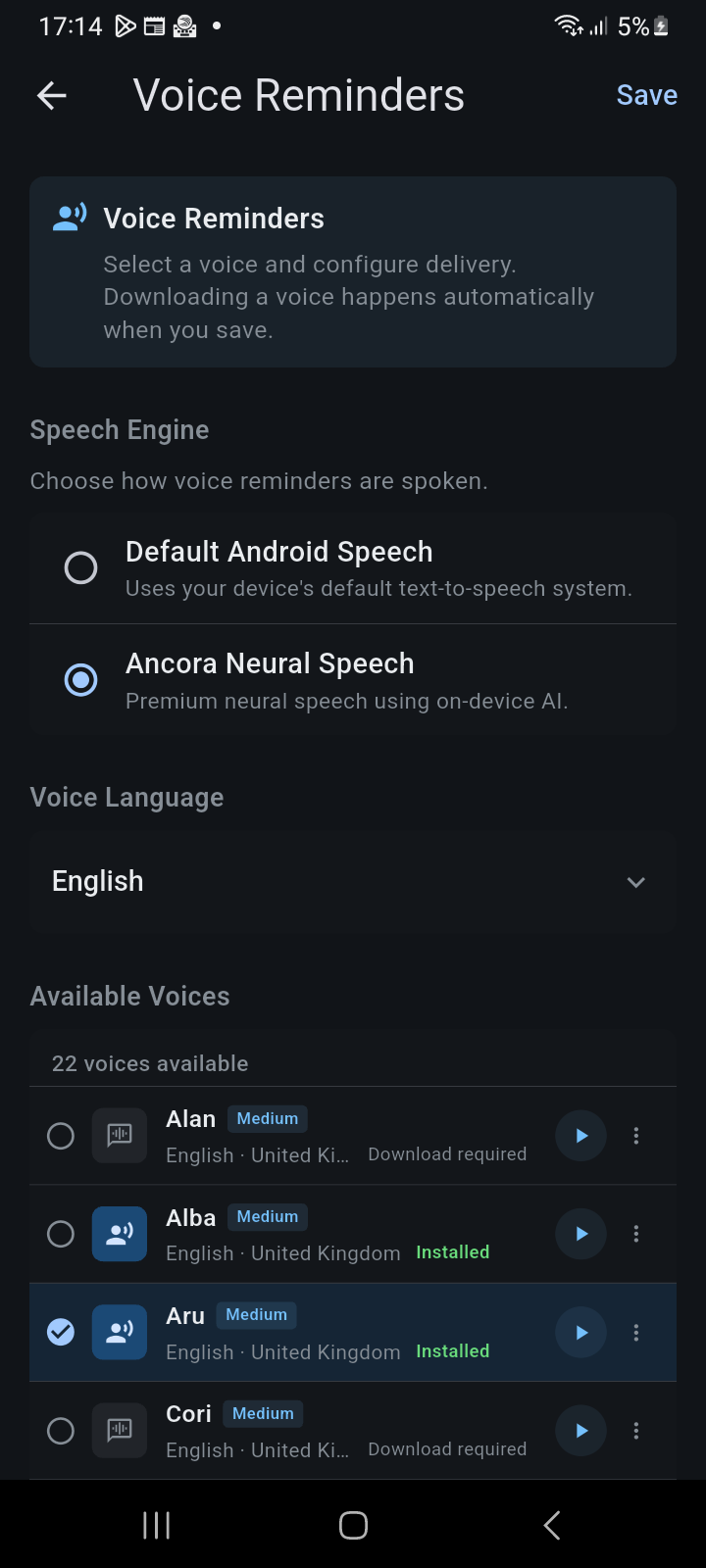
Figure 11.1: Voice Reminders configuration screen with engine selection and available neural voices catalog.
- Ancora Neural Speech (Recommended): Utilizes the on-device Piper neural engine to produce natural, human-sounding intonation, rhythmic phrasing, and lifelike cadence.
- Default Android Speech: Falls back to the operating system's built-in text-to-speech system (such as Google Speech Services). This lightweight mode is useful on legacy devices with minimal internal flash storage.
Browsing & Downloading Voice Packs
To audition and configure neural voices, navigate to the side navigation drawer (☰) → Personal Preferences → Voice Reminders (or tap Speech Style):
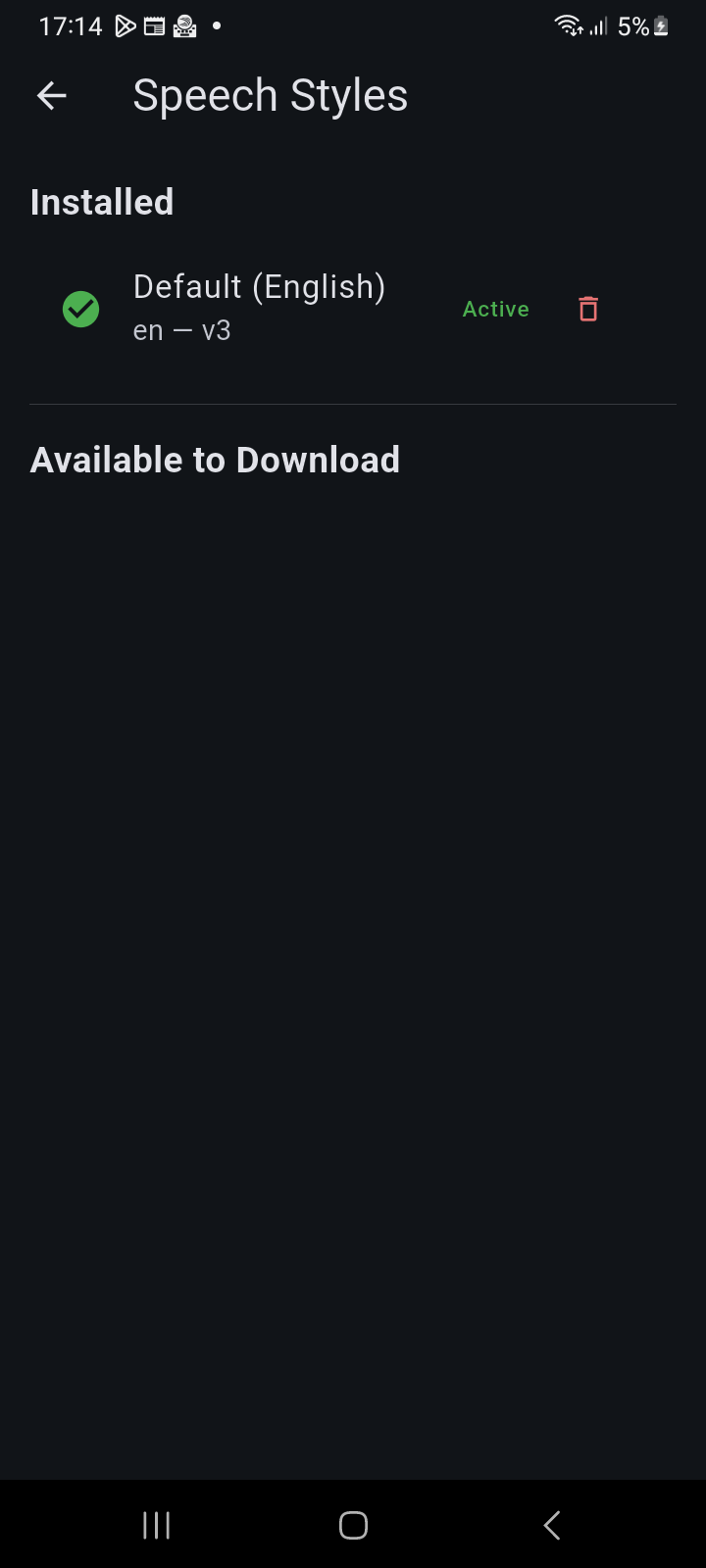
Figure 11.2: Speech Styles catalog displaying installed active voice pack and available download catalog.
The voice manager provides an extensive catalog of distinct voices across regional dialects and international languages:
- Language Filter: Filter voices by your native locale, including English (UK and US dialects), Spanish, Italian, Portuguese, French, German, and more.
- Quality Tiers: Voice models are designated with quality indicators (High, Medium, or Low), balancing acoustic fidelity with file size.
- Seamless One-Tap Download: When you select a voice marked Download required, Ancora automatically downloads and verifies the model files (`.onnx` network weights and `.onnx.json` phoneme mappings) in the background with real-time download progress.
- Active Badge: The currently selected voice is clearly labeled with an Active badge so you always know which voice will announce your upcoming reminders.
Managing Local Storage & Voice Actions
Because neural models are stored locally, each voice occupies approximately 15 MB to 60 MB of device storage. Ancora provides comprehensive management tools to keep your storage footprint trim:
- Tap the Voice actions button (three dots) next to any voice card to open the actions bottom sheet.
- Voice Details: Displays exact technical metadata including Voice ID, Language code, Quality tier, file size in megabytes, and installation status.
- Delete Local Voice Files: Safely removes unneeded voice files to reclaim internal storage. Ancora protects system integrity by preventing the accidental deletion of the last remaining voice pack for your active system language.
- Redownload Voice: If a voice file ever becomes corrupted or interrupted during a network drop, selecting redownload fetches a pristine copy with a single tap.
Related Articles
Keywords: