
Voice Customization & Speech Templates
Configure playback priority and interruption rules for your voice reminders, audition audio samples with instant previews, and craft dynamic speech templates with context-aware tokens tailored to each activity type.
Navigating to Voice Preferences
To customize speech delivery, open the side navigation drawer (☰) and tap Personal Preferences. The preferences screen provides dedicated controls for voice synthesis:
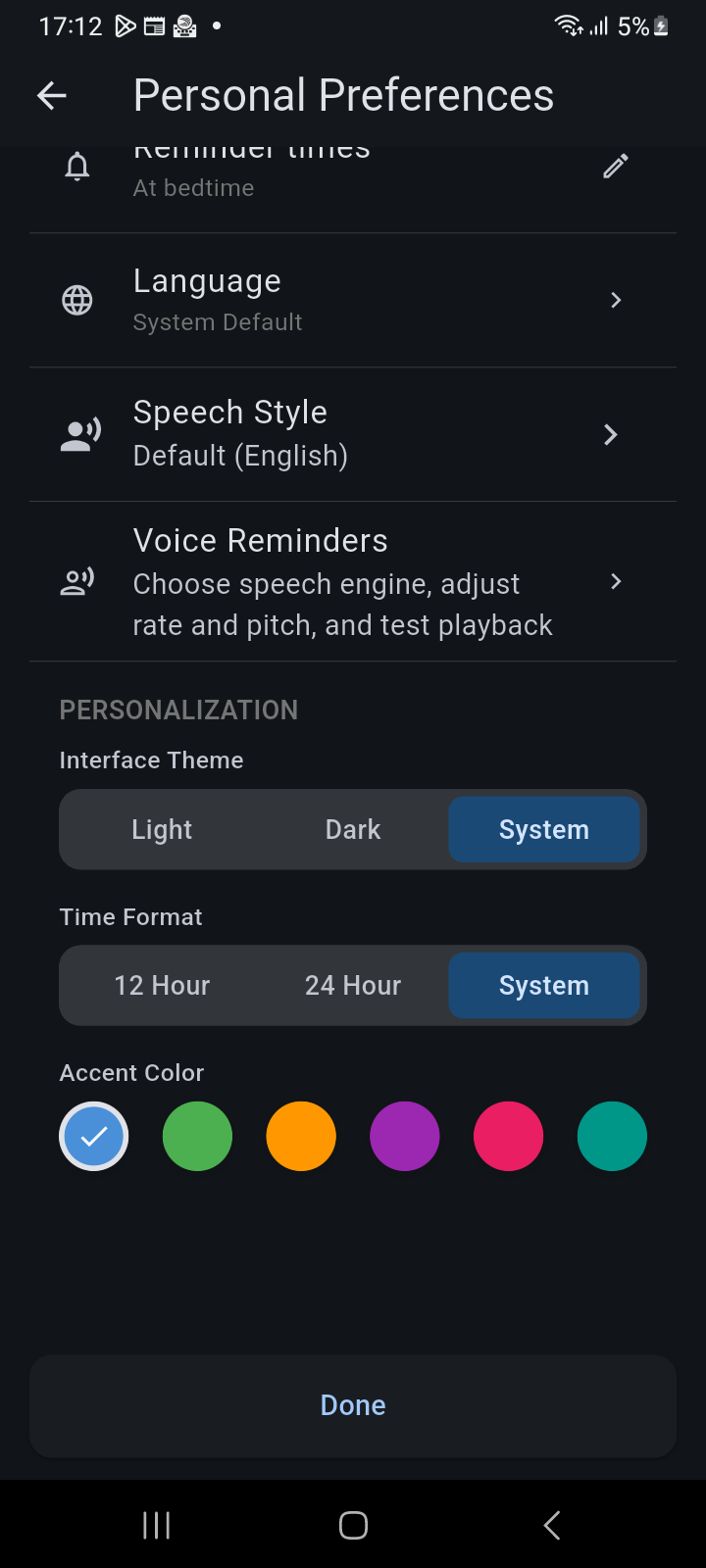
Figure 11.3: Personal Preferences screen highlighting Speech Style and Voice Reminders configuration entries.
- Speech Style: Quick access to installed voice packs, available catalog downloads, and language dialect filters.
- Voice Reminders: Configuration console for voice selection, playback interruption modes, and delivery rules.
Playback Behavior & Interruption Rules
Ancora offers smart playback rules to prevent audio chaos when multiple reminders or family updates coincide:
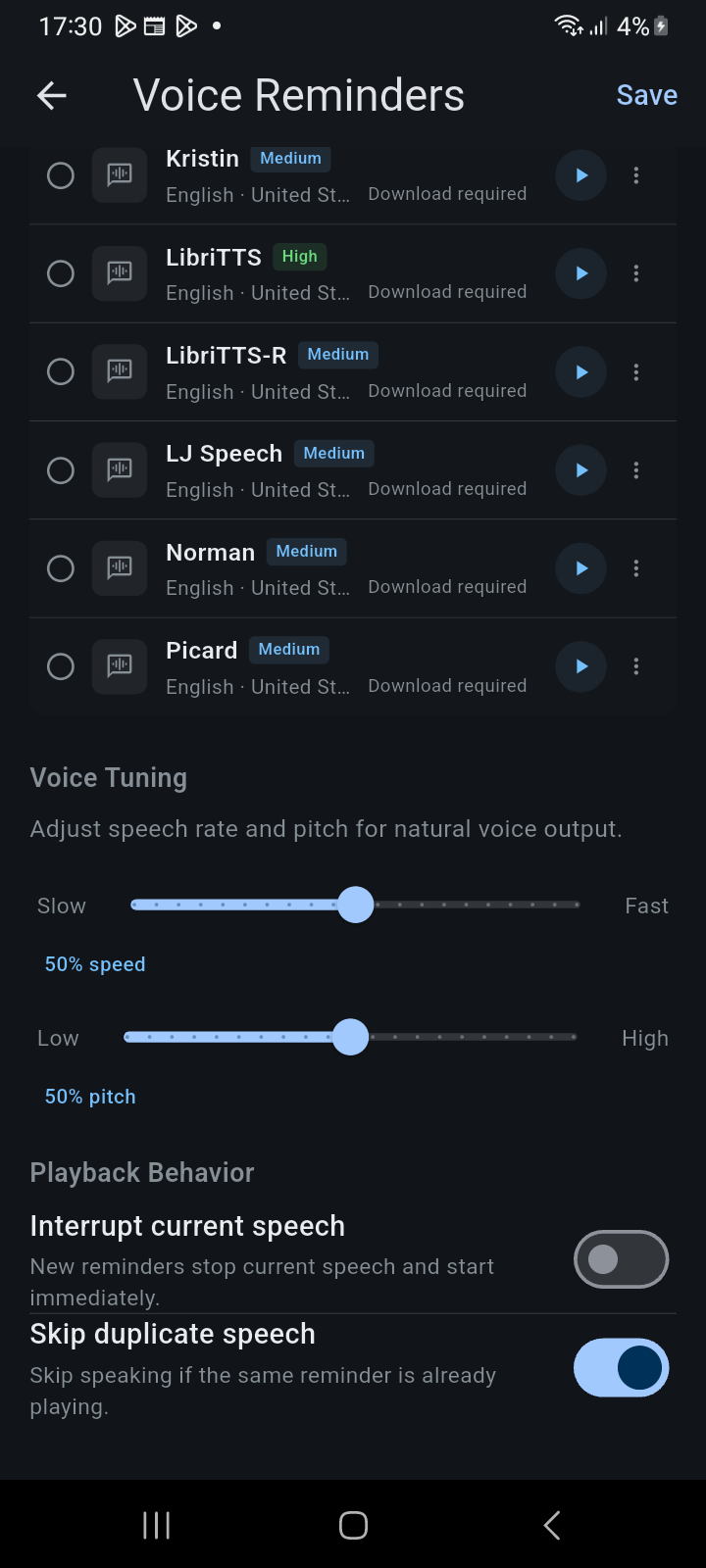
Figure 11.4: Playback Behavior settings showing interrupt current speech and skip duplicate speech toggles.
- Interrupt current speech: When enabled, newly triggering time-sensitive alarms immediately stop any ongoing announcement and speak the critical reminder right away. When disabled, announcements queue sequentially.
- Skip duplicate speech: Prevents redundant, repetitive voice announcements if the same reminder or notification is already currently playing or just finished.
- Auditioning Voice Previews: Tap the Preview voice button on any voice card to audition instant audio playback. This allows you to evaluate pronunciation, voice tone, and delivery cadence before committing changes.
Dynamic Speech Templates & Placeholders
In addition to global voice configuration, Ancora allows you to craft custom speech templates for individual Activity Types (via Settings → Activity Management → Speech Templates). Rather than hearing a robotic default phrase, you can define exactly how your phone announces each event:
Timing Triggers
Each activity type supports three distinct speech triggers:
- Before Start (
beforeStart): Spoken ahead of time (e.g., 15 minutes before an event). Default: "In {offset} minutes {title} will start". - At Start (
atStart): Spoken exactly when the event starts. Default: "{title} is starting now". - After Start (
afterStart): Follow-up prompt for overdue or running items. Default: "{title} started {offset} minutes ago".
Available Dynamic Tokens
Incorporate dynamic placeholders into your custom phrases. When the alarm triggers, Ancora substitutes live event context:
| Token | Description | Example Rendered Output |
|---|---|---|
{title} |
The title of the activity, routine, or task. | "Morning Meditation" |
{offset} |
The relative countdown offset in minutes or hours. | "10 minutes" |
{activityType} |
The category or activity type name. | "Fitness & Health" |
{startTime} |
The scheduled start timestamp. | "8:30 AM" |
{duration} |
The total duration of the scheduled block. | "45 minutes" |
{person} / {actor} |
The family group member who created or updated a shared item. | "Sarah" |
Related Articles
Keywords: