
Resolving Missed Alarms & Android Battery Optimization
Never miss an essential appointment or medication alert. Understand how Android battery saving mechanisms affect reminder timing, how to diagnose scheduling health with Ancora's built-in Reminder Reliability tool, and how to configure OEM-specific background exemptions.
Why Android Reminders Can Be Delayed
Modern Android versions incorporate aggressive power-saving systems designed to extend battery life by restricting background processes and batching wakeups:
- Doze Mode: When your device is unplugged, stationary, and the screen has been off for a period, Android enters deep Doze mode. Standard timer wakeups are postponed until periodic maintenance windows.
- Inexact Alarm Batching: By default, Android batches timers together to conserve CPU cycles, resulting in notifications firing 2 to 15 minutes past their scheduled time.
- App Standby Buckets: If Ancora is not opened frequently, Android automatically assigns it to a restricted standby tier, further limiting background wake-ups.
- Manufacturer Battery Killers: Device manufacturers (notably Samsung, Xiaomi, Huawei, and OnePlus) add proprietary task-killing software that forcefully terminates background services and suppresses alarms unless manually exempted.
The In-App Reminder Reliability Tool
Ancora Planner includes a built-in diagnostic utility to verify whether your device grants the necessary permissions for microsecond-precise alarm delivery.
To access the tool, open the side navigation drawer (☰), select Settings, and tap Reminder Reliability.
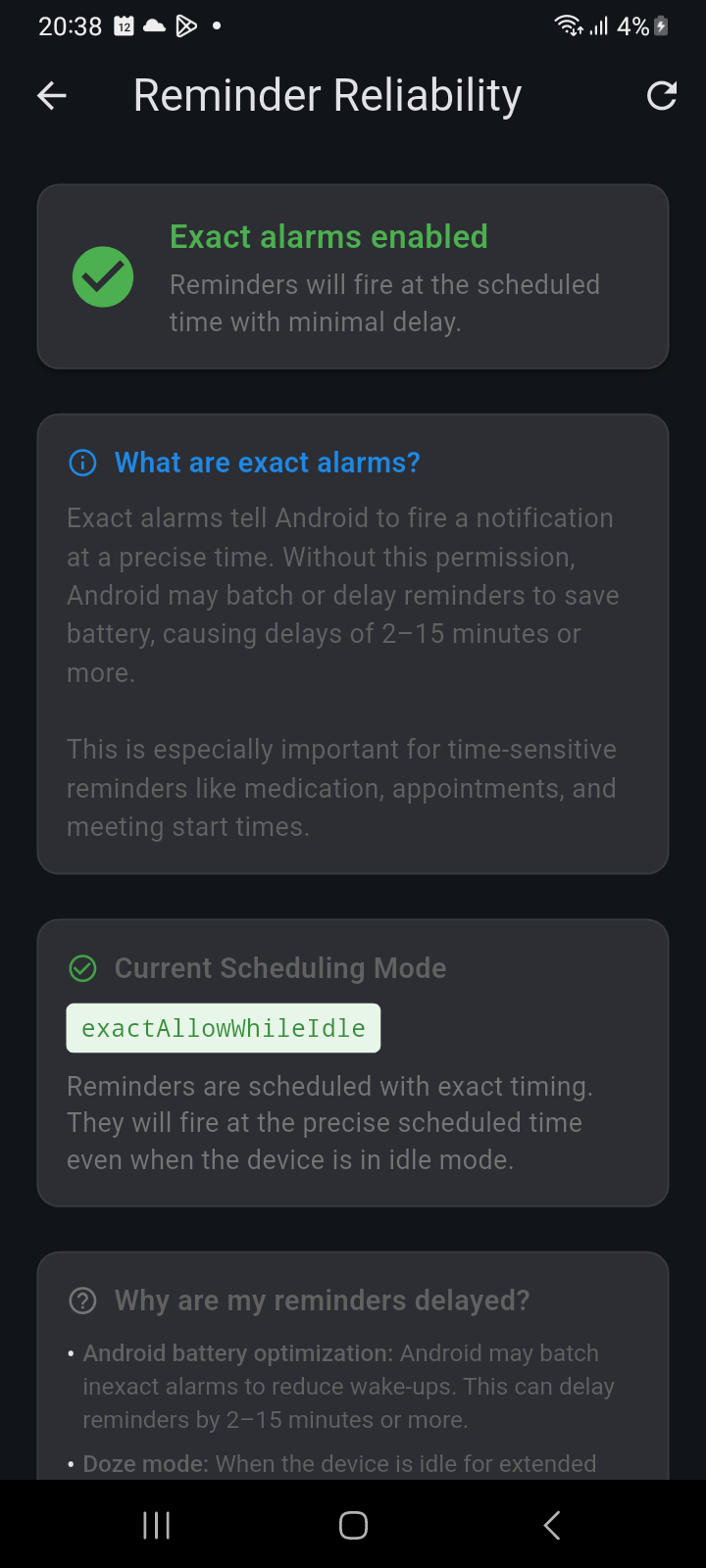
Figure 16.1: Reminder Reliability screen showing Exact alarms enabled status card and Current Scheduling Mode.
Interpreting the Diagnostics
- Exact alarms enabled (Green Checkmark): Ancora holds the Android exact alarm permission (SCHEDULE_EXACT_ALARM). Reminders will fire at the exact minute scheduled even when the phone is sleeping.
- Exact alarms disabled (Orange Warning): The operating system has revoked or withheld exact alarm authorization. Tap the Enable exact alarms button on screen to jump straight to Android's system permissions dialog and grant permission.
- Current Scheduling Mode (exactAllowWhileIdle): Confirms the scheduling engine leverages Android's highest-priority alarm API, capable of waking the device from deep Doze mode.
- Refresh Status (↻): Re-evaluates OS permissions in real time after you return from system settings.
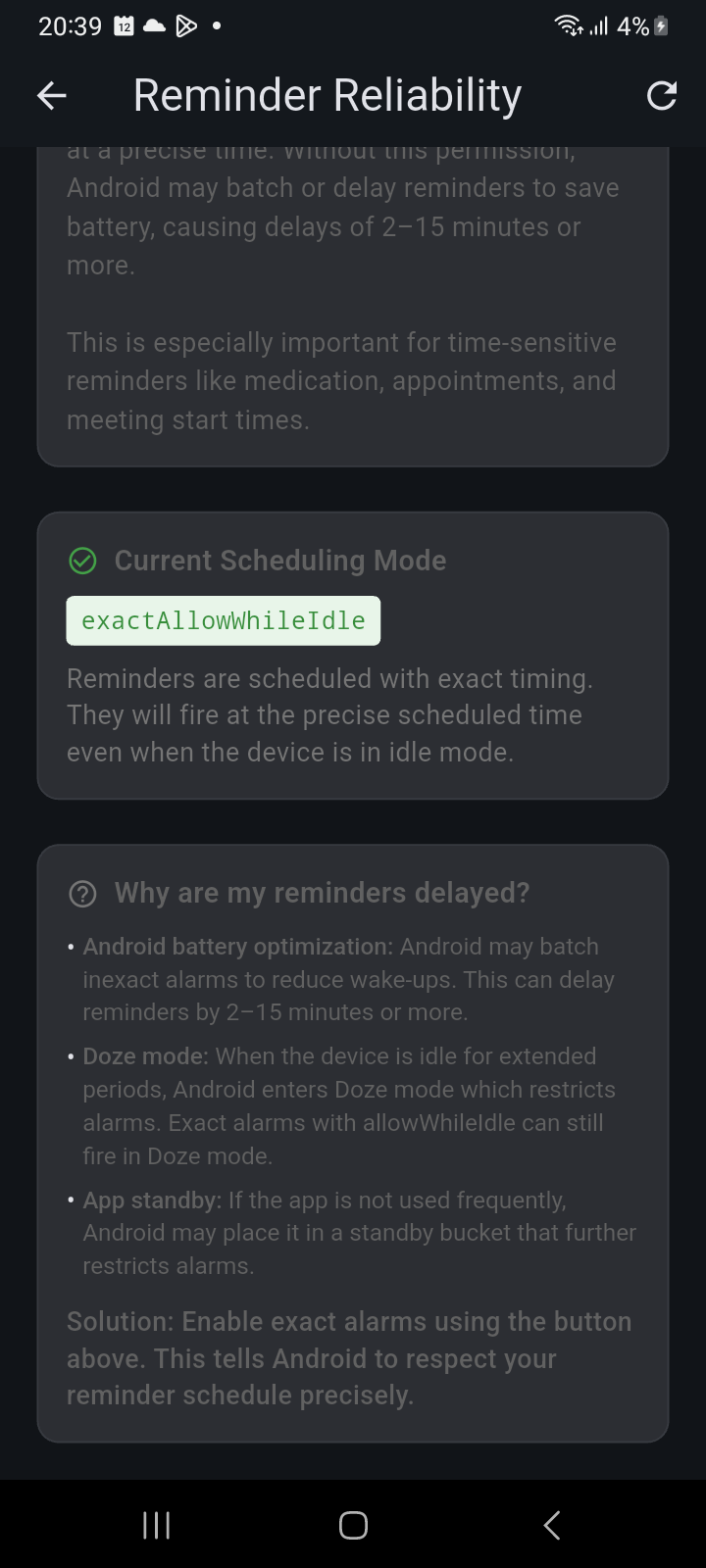
Figure 16.2: Reminder Reliability diagnostic explanations for battery optimization, Doze mode, and App Standby buckets.
OEM Battery Optimization Whitelisting
In addition to granting exact alarm permissions, you should exempt Ancora Planner from manufacturer battery optimization:
Samsung (One UI)
- Open device Settings → Apps → Ancora.
- Tap Battery and select Unrestricted (instead of Optimized).
- Go to device Settings → Battery → Background usage limits.
- Ensure Ancora is not under Sleeping apps or Deep sleeping apps. Add Ancora to Never sleeping apps.
Xiaomi / Redmi / POCO (MIUI & HyperOS)
- Open device Settings → Apps → Manage apps → Ancora.
- Enable Autostart.
- Tap Battery saver and change setting to No restrictions.
- In Permissions, ensure Display pop-up windows while running in the background is granted.
Google Pixel & Stock Android
- Open device Settings → Apps → Ancora.
- Tap App battery usage.
- Select Unrestricted.
Related Articles
Keywords: