
Schedule Sharing & Whitelist Controls
Share agenda entries, tasks, and checklists selectively across family members while maintaining strict privacy boundaries. Learn how the item sharing selector works, how ownership protections safeguard your schedule, and how group managers enforce sharing whitelists.
Granular Item Sharing Overview
Unlike conventional calendar apps where sharing is an all-or-nothing proposition, Ancora Planner employs granular item-level sharing. By default, every agenda entry, task, and checklist you create remains strictly private to your own account. You choose precisely which individual items to share and which specific household members receive them.
Sharing an Agenda Event
When creating or editing an agenda event:
- Open or create an agenda entry to display the Edit Agenda (or New Agenda Entry) dialog.
- Scroll down below the reminder configuration to the Share with section.
- You will see selectable filter chips for each eligible family group member. Tap a member's chip (e.g., Wendy) to select them. A checkmark appears indicating they will receive this event.
- Tap Save. The event is instantly synced to the selected member's device and displays on their timeline.
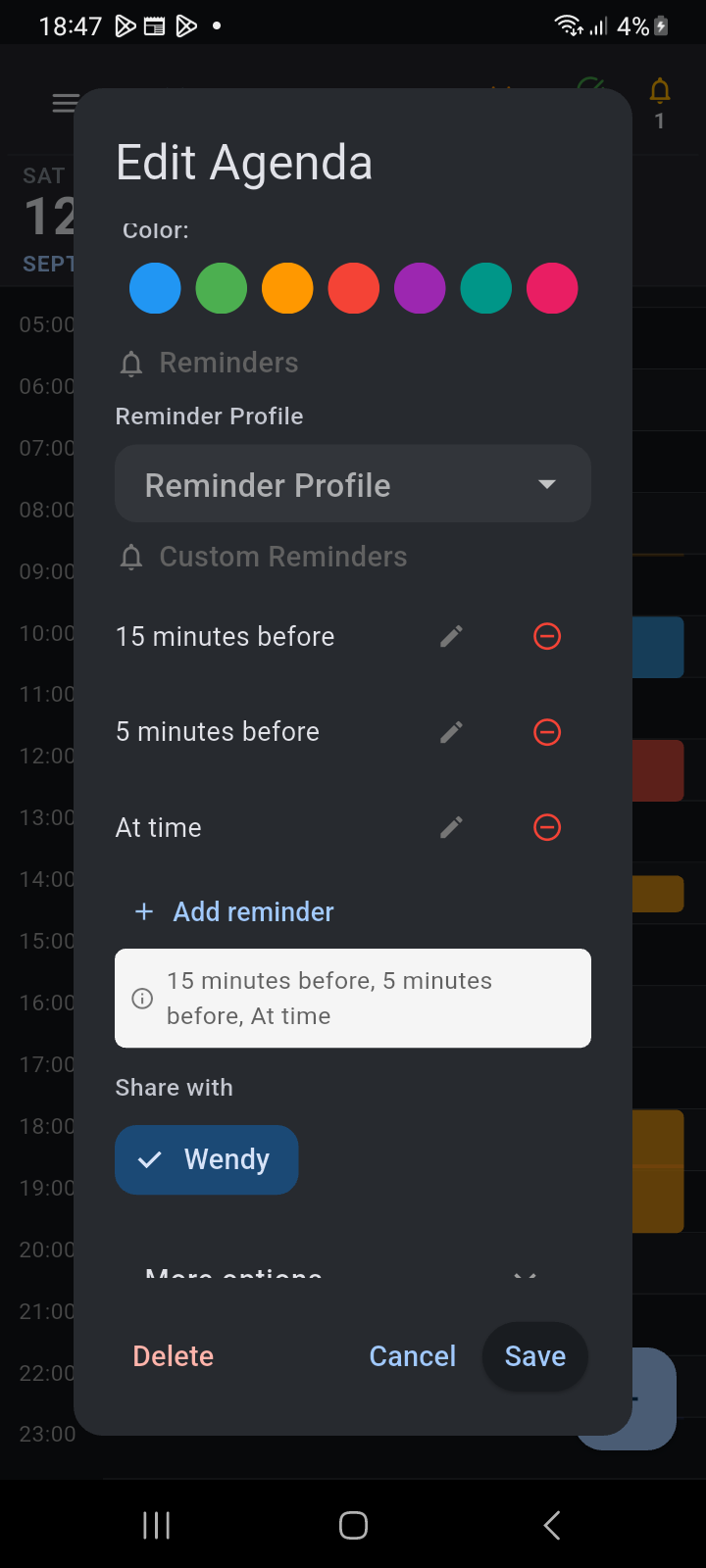
Figure 14.4: Edit Agenda dialog showing the Share with section with the Wendy member chip selected.
Sharing Tasks and Checklists
The same intuitive sharing chip row appears across all core productivity modules in Ancora Planner:
- Tasks & To-Dos: In the task creation dialog, tap member chips under Share with. Shared tasks appear on the recipient's daily task list, complete with real-time status updates when items are checked off.
- Checklists & Shopping Lists: In the Lists manager, tap the share icon (👥) or open list settings to select family members. Shared lists keep shopping groceries, packing checklists, and household chores synchronized in real time across the entire family.
Ownership Authority & Recipient Protections
Ancora enforces rigorous data ownership boundaries on all shared items:
- Creator Authority: Only the original creator (owner) of an item can modify its schedule, alter its reminder profiles, add or remove shared recipients, or permanently delete it.
- Recipient Safeguards: When a recipient views a shared event or task, Ancora displays an informational banner: “Item shared with you by [Owner]”. Recipients cannot re-share the item with other users or modify its core timing, preventing accidental disruptions to family plans.
- Shared Deletions: If the owner deletes a shared event, it is cleanly removed from all recipients' timelines upon the next background sync.
Whitelist Restrictions (Allowed Sharing Targets)
To protect privacy and prevent unintended data sharing—particularly in households with children or adolescent dependents—group owners can enforce Allowed Sharing Targets:
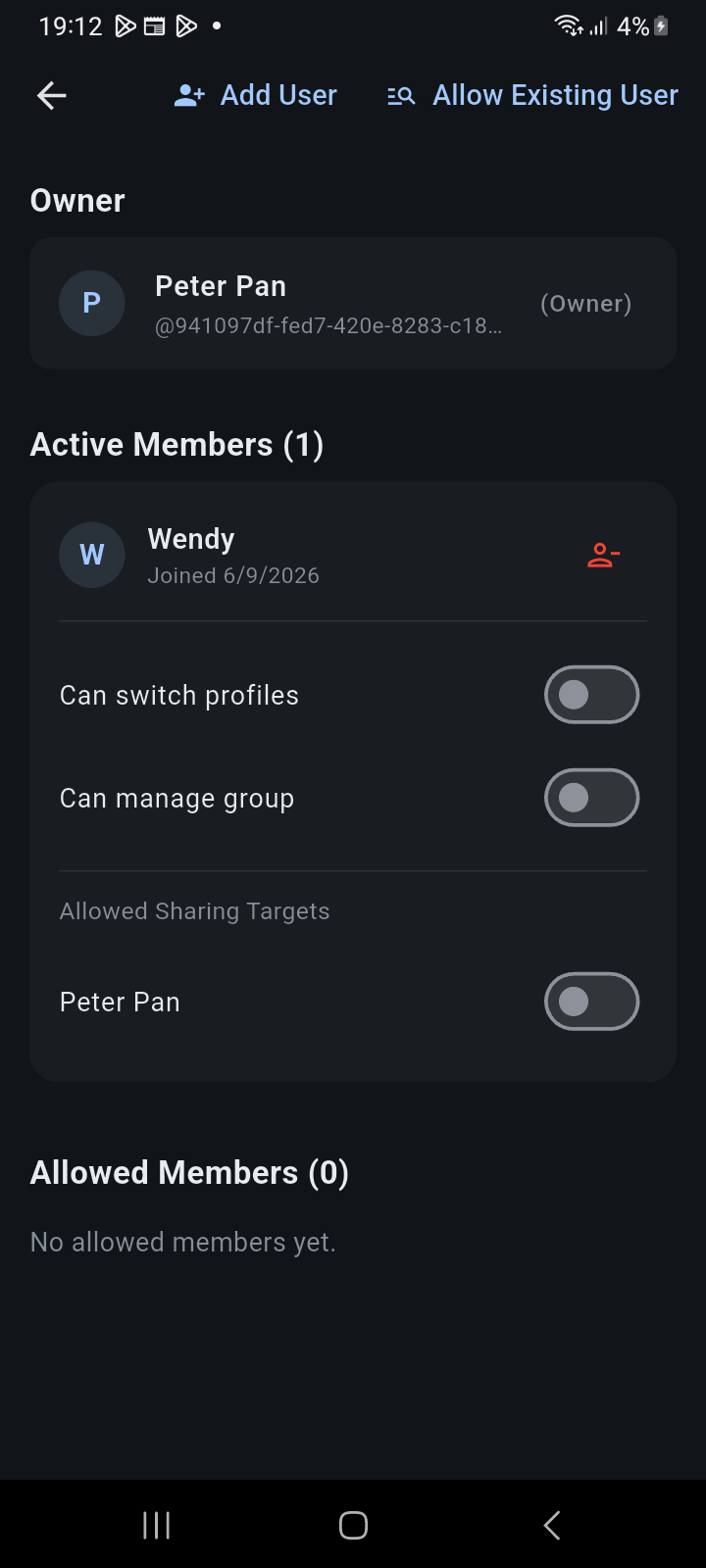
Figure 14.5: Group Management screen showing Allowed Sharing Targets toggles under an active member's settings.
How Allowed Sharing Targets work:
- Navigate to Settings → Group Management.
- Under Active Members, expand the member whose sharing permissions you wish to restrict.
- Locate the Allowed Sharing Targets section. Each other group member is listed with an individual toggle switch.
- Toggle ON only the members this individual is permitted to share items with.
- If a target member is toggled OFF, that member's chip will not appear in the restricted user's Share with selector, ensuring they cannot inadvertently transmit items to unauthorized profiles.
External Google Calendar Boundary
Ancora maintains strict isolation between external synchronized calendars and family sharing:
Related Articles
Keywords: