Shared Item Announcements & System Messages
Ancora Planner keeps your entire household synchronized with an intelligent notification routing system for shared calendar changes, collaborative family lists, and essential system status alerts.
The Notifications & Announcements Hub
Ancora centralizes all alert routing preferences into a single unified management hub. To access it, open the side navigation drawer (☰), tap Settings, and select Notifications & Announcements ("Configure alarms, shared changes, and alerts").
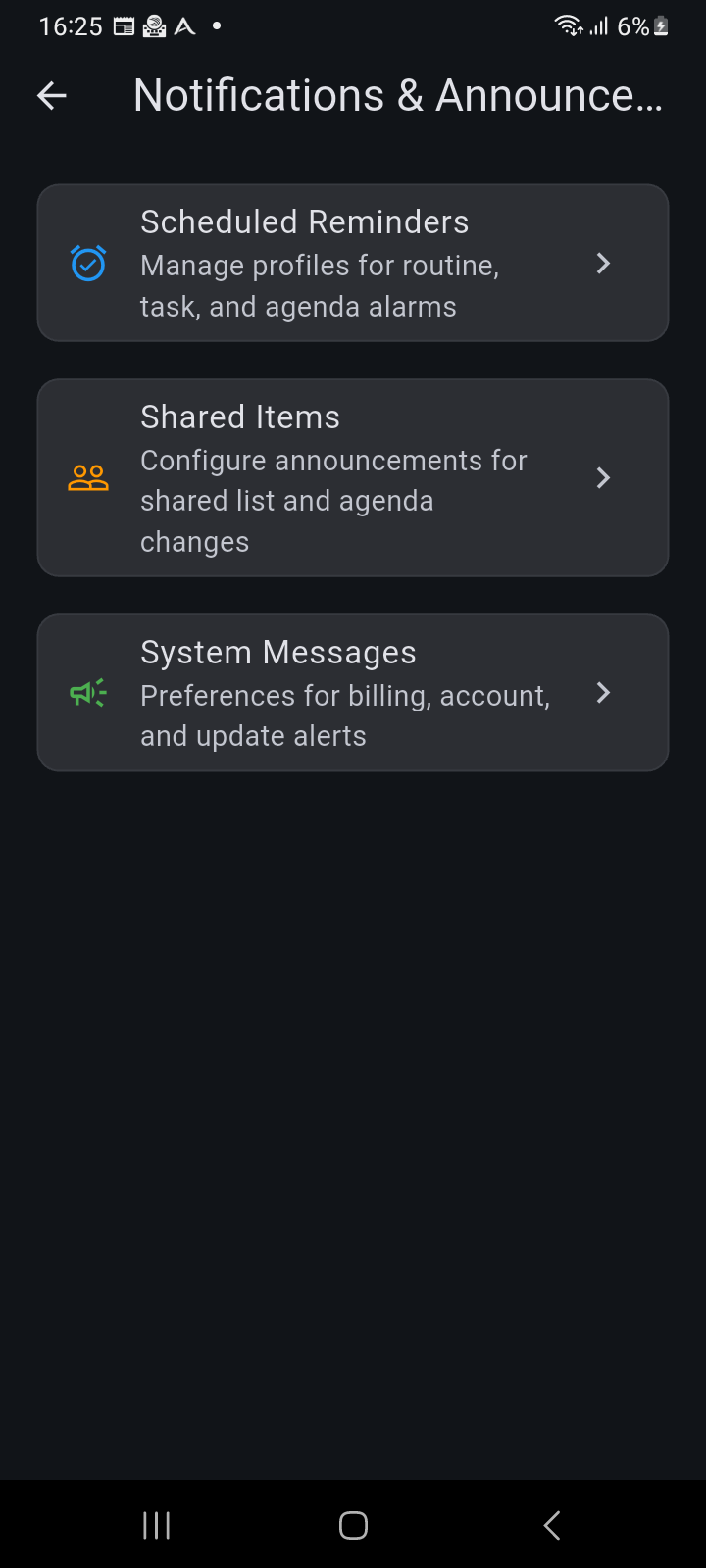
Figure 10.4: Notifications & Announcements settings hub organizing Scheduled Reminders, Shared Items, and System Messages.
The hub presents three focused management areas:
- Scheduled Reminders: Direct shortcut to manage chained reminder profiles for routine, task, and agenda alarms.
- Shared Items: Configure announcements for collaborative list and calendar modifications made by family group members.
- System Messages: Customize preferences for account security, billing, product updates, and system health status.
Configuring Shared Item Categories
Tapping Shared Items opens the shared category manager, displaying all collaborative entities supported by Ancora:
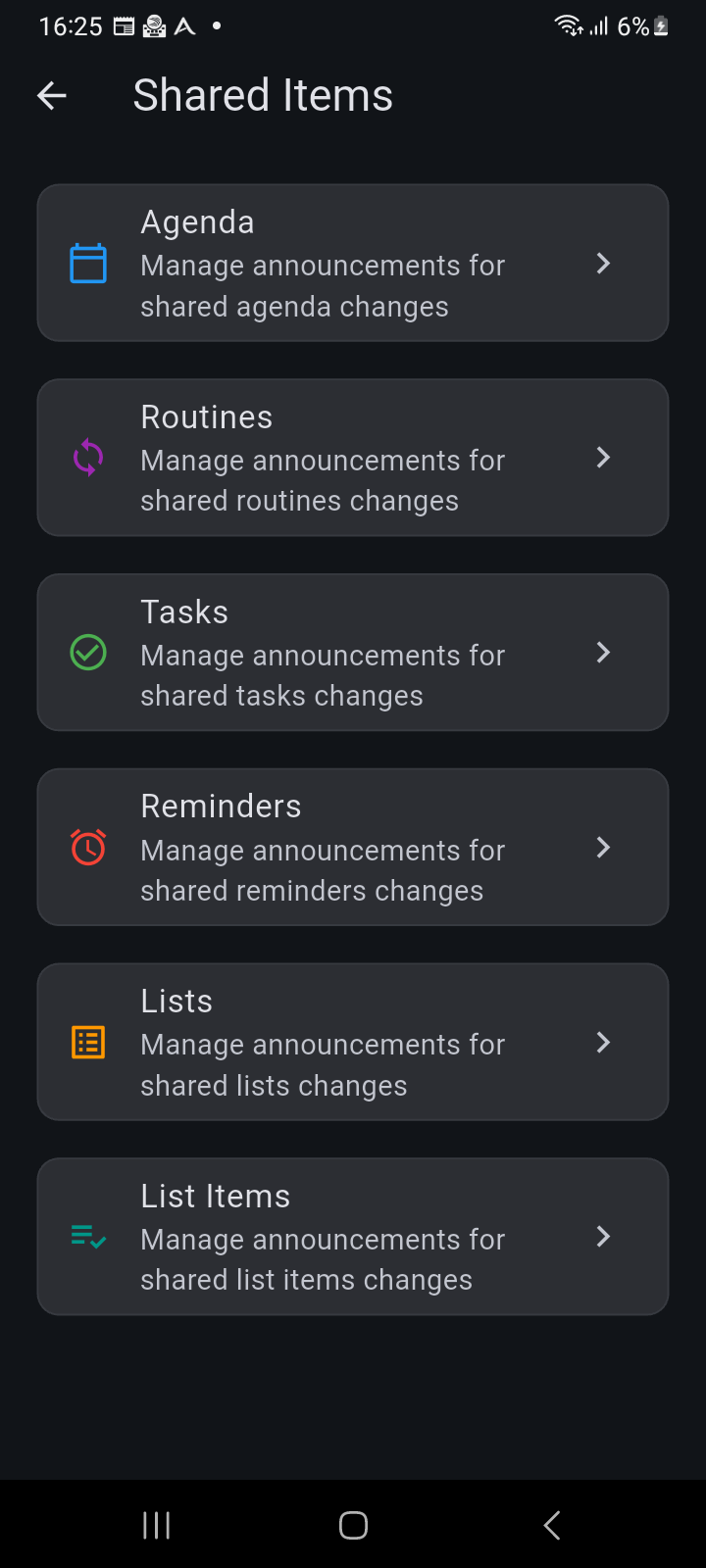
Figure 10.5: Shared Items screen listing all configurable shared entity categories.
Each entity category can be customized independently:
- Agenda: Announcements when shared family events or meetings are created, rescheduled, or canceled.
- Routines: Notifications when shared recurring habit blocks (such as family exercise or school carpool) are updated.
- Tasks: Alerts when assigned household tasks are added or completed.
- Reminders: Prompts when shared medication or scheduled family reminders are updated.
- Lists: High-level notifications when shared checklists (e.g. Costco Run or Vacation Packing) are created or deleted.
- List Items: Granular notifications when individual checklist items are checked off or added—indispensable for real-time supermarket collaboration.
Delivery Modes, Event Triggers & Speech Templates
Tapping any category (such as Routines or Lists) opens its detailed notification editor:
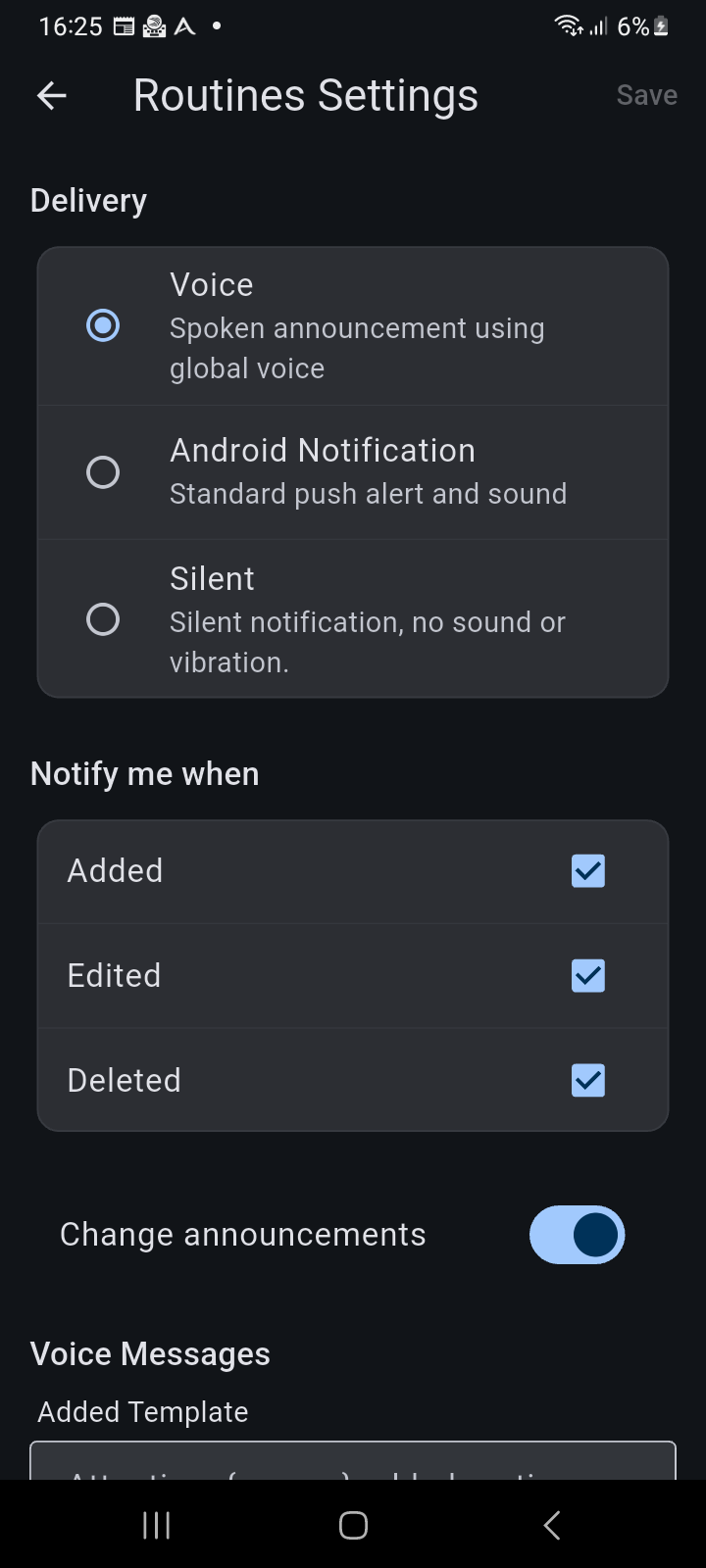
Figure 10.6: Entity notification settings showing Delivery Mode selection, event trigger checkboxes, and customizable speech templates.
1. Delivery Modes
Choose how Ancora delivers changes for this specific entity:
- Voice: Spoken voice announcement generated by Ancora's offline Piper neural speech synthesizer. Perfect for hands-free listening while cooking, driving, or working around the house.
- Android Notification: Standard system push notification with audible sound and notification shade banner.
- Silent: Background data synchronization only. Changes appear on your calendar or checklist without sound, vibration, or banners.
2. Event Triggers (Notify me when)
Filter which lifecycle events generate notifications:
- Added: Alert when a collaborator creates a new entry.
- Edited: Alert when details, scheduled times, or notes are changed.
- Deleted: Alert when an item is removed from the shared schedule.
3. Spoken Speech Templates
When Voice delivery is selected, Ancora allows you to customize the spoken announcement template for each event trigger. Built-in dynamic placeholders insert real-time context:
{person}: Name of the household member who performed the action (e.g. Wendy).{title}: Name of the item (e.g. Organic Milk or Soccer Practice).- Example template:
"Attention. {person} added routine {title}."
Managing System Messages & Service Status
Returning to the main hub and tapping System Messages allows you to manage non-calendar operational communications from Ancora:
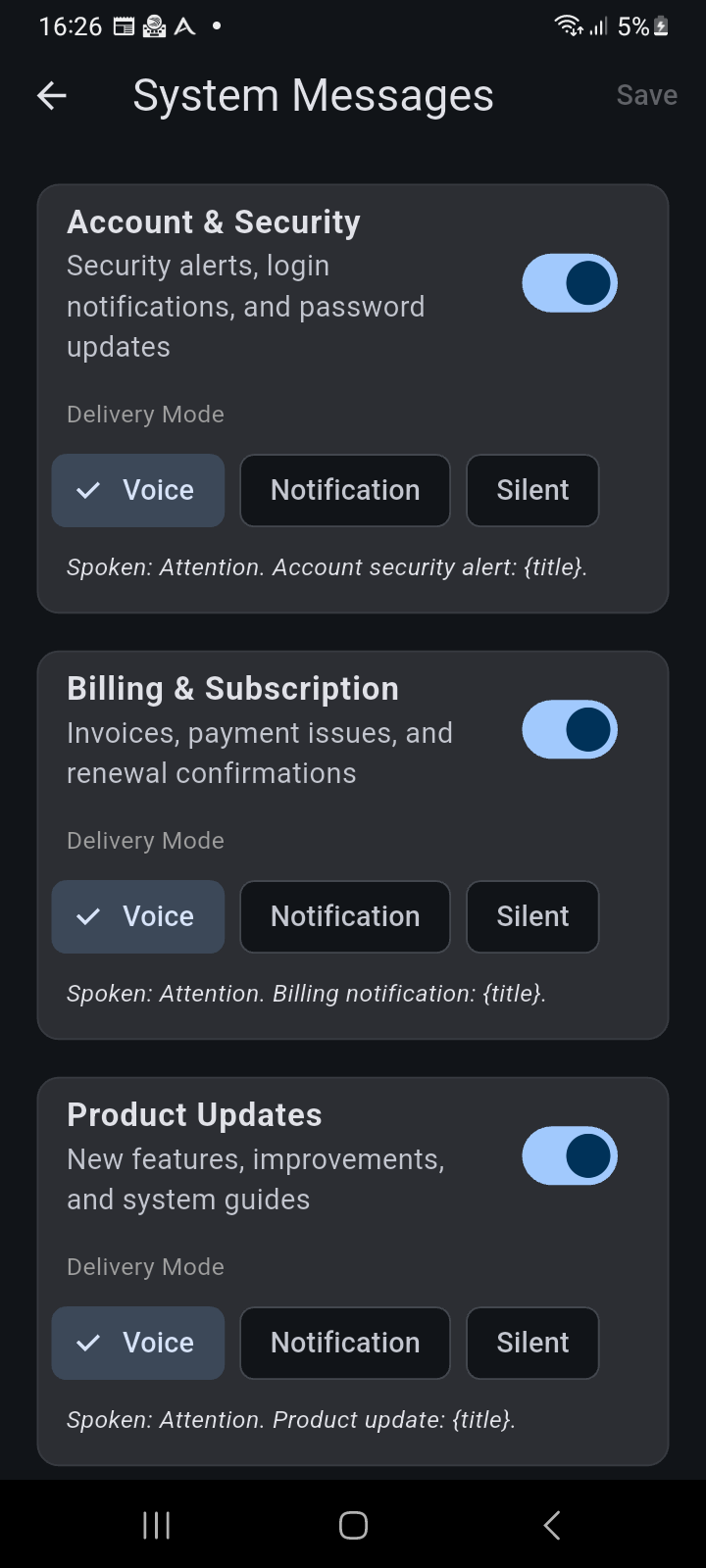
Figure 10.7: System Messages settings screen displaying category cards, master switches, delivery mode chips, and spoken phrase previews.
You can toggle and set delivery modes across five critical system categories:
- Account & Security: Crucial login notifications, password resets, and suspicious session warnings.
- Billing & Subscription: Invoices, payment confirmations, and Pro subscription renewal notices.
- Product Updates: Feature announcements, release notes, and helpful tips for new capabilities.
- Promotions: Custom productivity tips and optional promotional offers.
- Service Status: Scheduled server maintenance windows and real-time cloud sync health status alerts.